Review pull requests as a guided tour, in your terminal.
Guided Review turns a diff into a tour. A briefing explains the change, chapters follow the code's execution flows, and linked tests sit beside the hunks they exercise. Draft comments as you go and submit them as one GitHub review.
$ npm install -g @haydenmeloche/guided-review
$ gr                    # pick a PR waiting for your review
$ gr review 1234        # or owner/repo#1234, or a PR URL
$ gr preview            # tour your own branch before opening a PR
$ gr review --no-agent  # static analysis only, no model calls
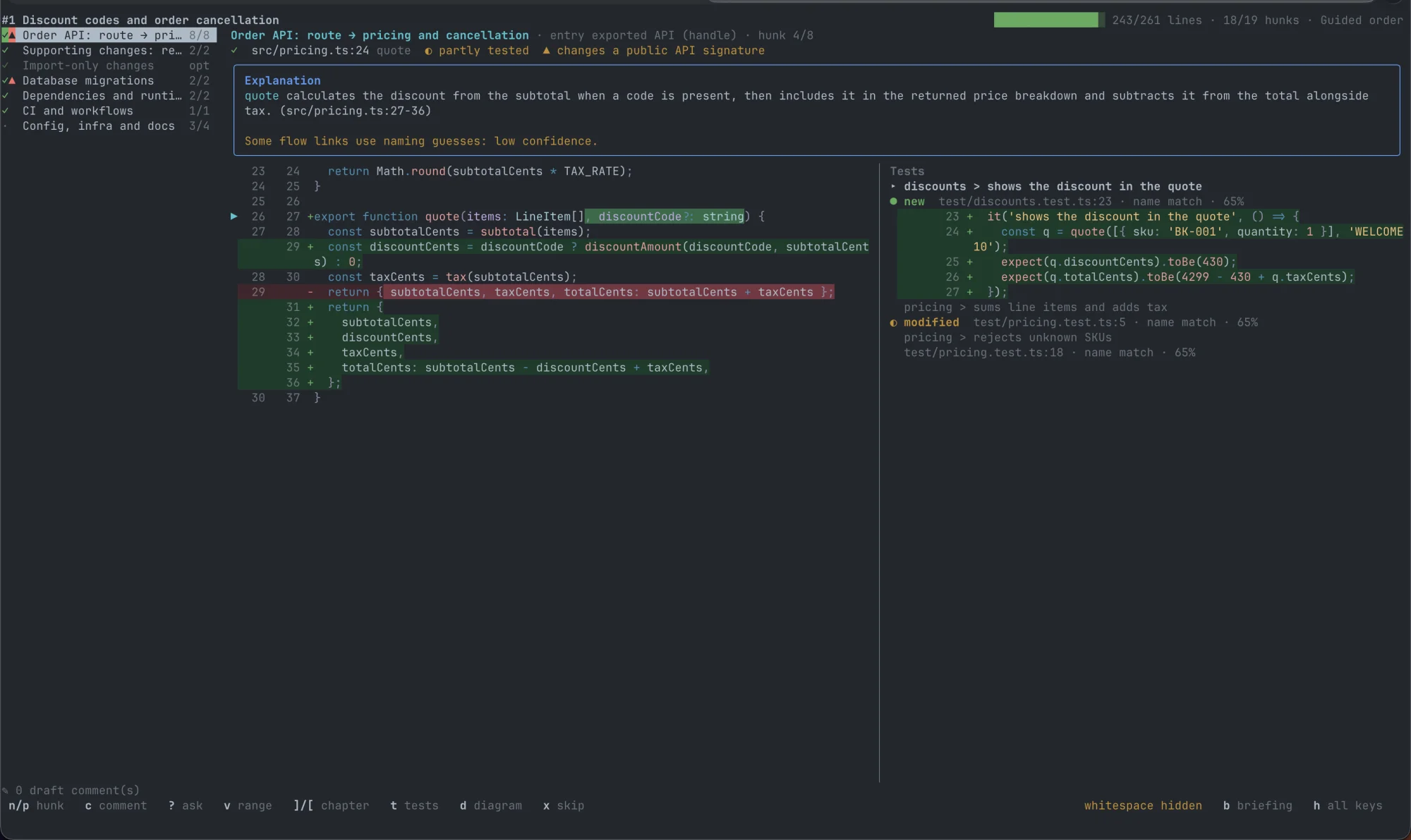
The briefing
Every tour opens with what the PR does, what the author said, the overview diagram, and chapters in a recommended reading order.
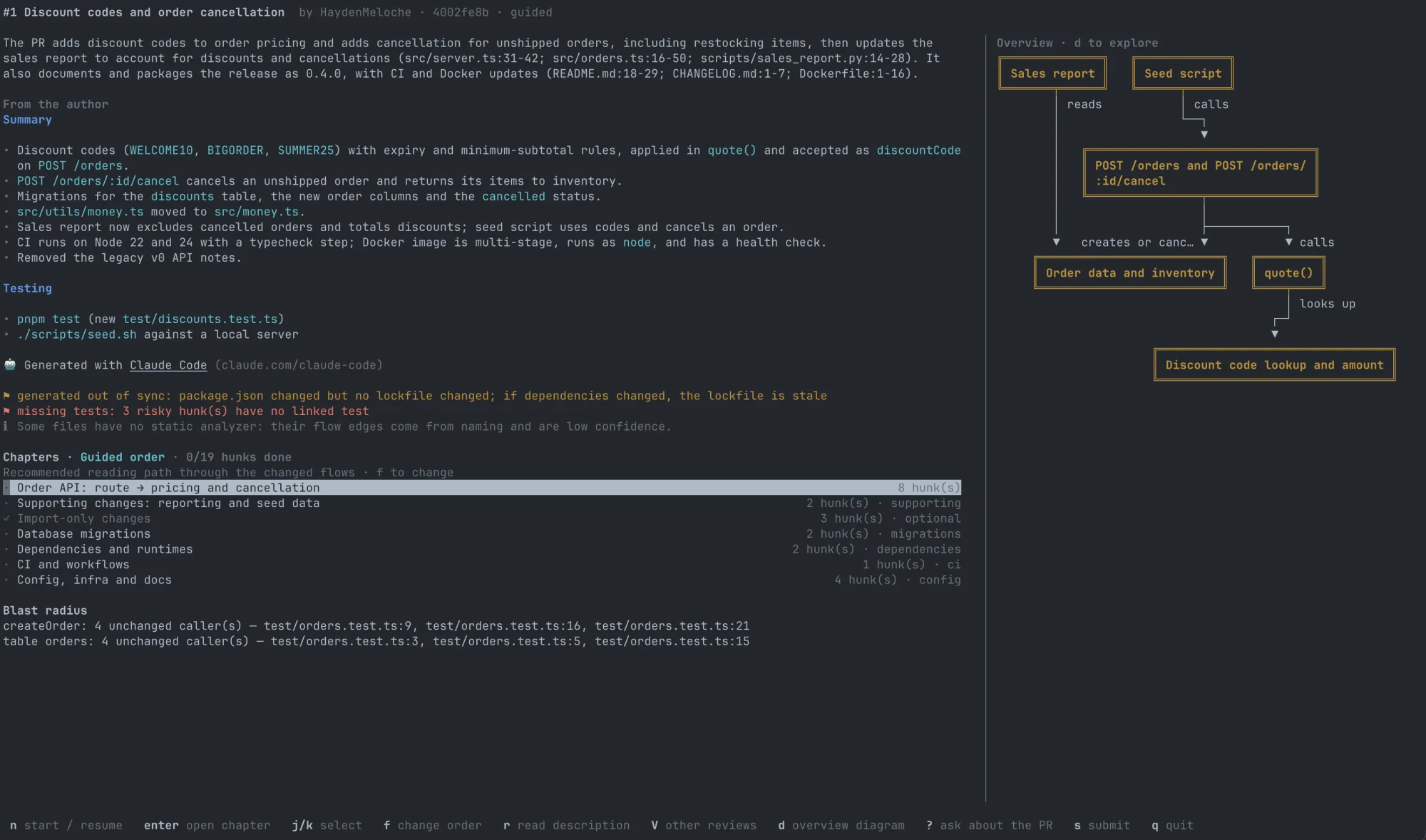
Ask about any line
Select code and press ?. Answers cite the files and lines they come from, and follow-up questions keep the thread.
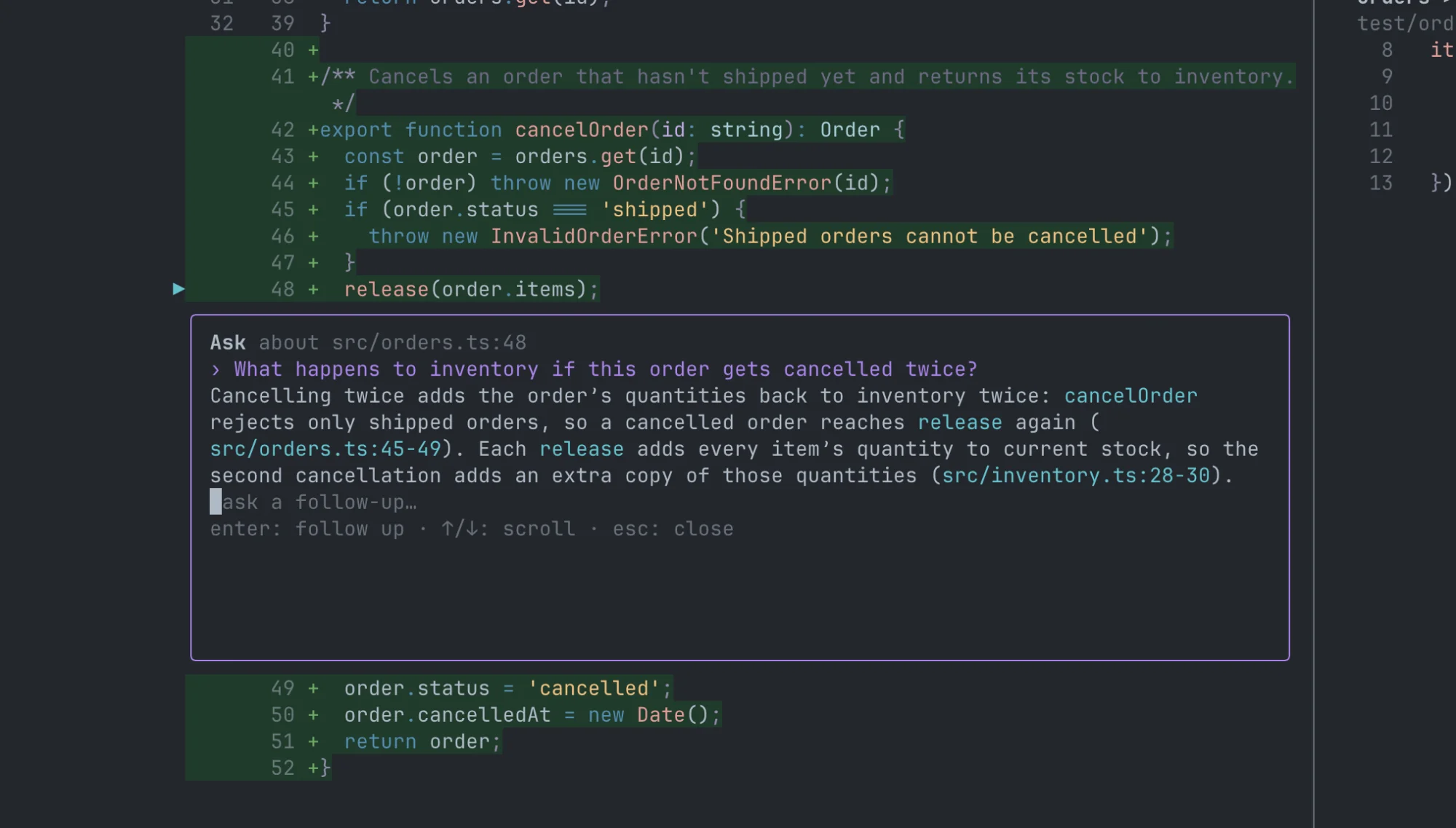
What you get
A tour, not a file list
Chapters start at entry points such as routes, commands, and handlers and follow the changed code in reading order. You can also sort by risk, size, or file.
Tests beside the code
Linked test cases appear next to the hunks they exercise, and possible test gaps are flagged.
Track your progress
Mark hunks read, skipped, or deferred, and pick up where you left off. Your reading state can carry over to a new push.
Draft, then submit once
Comments stay local until you post them as a single GitHub review, with code suggestions and @ mentions. Nothing posts until you confirm.
Re-review after a push
See only the hunks that changed since your last pass, and check whether your earlier comments were addressed.
Ask about any line
Ask the model about a selection, a chapter, or the whole PR without leaving the review. Follow-up questions keep the thread.
Learn a codebase
Use real PRs as lessons: walk from the entry point to the functions it reaches, with the tests that cover them.
Preview your own branch
Run gr preview to tour your branch before you open a PR and see your change the way a reviewer will.
Changes explained by what they mean
Some changes are easy to read in a diff but hard to judge from one. These get their own chapters, and the explanation says what the change means instead of what it edits.
Database migrations
Table locks and rewrites, possible data loss, whether it can be rolled back, backfills, and whether code must deploy before or after it.
API contracts
Which OpenAPI, protobuf, GraphQL, or Avro changes break existing clients and which are additive, and the clients in the repo that rely on them.
Dependencies and runtimes
For an upgrade, name old → new and the highlights in between: features, breaking changes, and security fixes. For a new or removed package, what it is and where it is used.
Lockfile changes
One summary of indirect changes: major version jumps, notable packages added or removed, and known security fixes, without paging through thousands of lines.
Infrastructure
Terraform, Kubernetes, and Helm resources created, destroyed, or replaced, and changes to IAM, network exposure, scaling, and secrets.
CI and workflows
New triggers, permissions, and secrets, plus risky patterns such as pull_request_target, untrusted input in scripts, and actions not pinned to a SHA.
Get started
-
Install with npm. You need Node 22.13 or newer and
git.ripgrep (
rg) is optional; the agent's repository search uses it. macOS and Linux (including WSL) are supported. -
Sign in to GitHub with
gh auth login.No GitHub CLI?
gr configcan use a personal access token instead, including for GitHub Enterprise Server. -
Choose a model with
gr config.Claude Code and Codex use your existing login, so neither needs an API key. Cursor uses a Cursor API key.
-
Run
grand pick a PR. Presshin a review to see the keys.
Bring your own model
- Claude Code
- Anthropic API
- Codex
- Cursor
- OpenAI API
- OpenAI-compatible endpoints
- Amazon Bedrock
- Google Vertex AI
Use different models for the briefing, chapter narration, and Q&A. PR content is treated as untrusted: the model gets read-only access to the PR's worktree, and Guided Review has no telemetry. See data, privacy, and security.
Team configuration
Commit a .guided-review.json at the repository root so everyone who reviews the repo gets the same rules. Run gr config --repo to create or edit it.
{
  "kinds": [{ "pattern": "src/gen/**", "kind": "generated" }],
  "testPatterns": ["**/*.it.ts"],
  "checklists": [{ "pattern": "db/**", "items": ["Migrations are reversible"] }]
}
kinds
Reclassify files as logic, test, config, mechanical, generated, or vendored. Generated and vendored files
collapse to a one-line summary. Only logic and config files move into the migration, API, dependency, infrastructure, and CI chapters.
testPatterns
Add test-file globs on top of the built-in ones, such as integration-test suffixes your repo uses.
checklists
Attach review items to chapters that touch matching paths. The agent pre-checks each item, and you confirm it with i.
Read from the merge base
Rules come from the PR's merge base, not the PR itself, so a PR can't reclassify its own files. A PR that changes the config gets flagged.
See the full reference and example configs for TypeScript, Go, Python, and Java repos.
Share tours from CI
Build the tour once in GitHub Actions and post it to the PR. Reviewers then open it without spending their own model calls.
- uses: actions/checkout@v7
  with:
    fetch-depth: 0
- uses: HaydenMeloche/guided-review@v0.1.0
  with:
    provider: anthropic
  env:
    ANTHROPIC_API_KEY: ${{ secrets.ANTHROPIC_API_KEY }}
See the full workflow in the CI guide.
Use it from your agent
gr install-claude-command adds a /guided-review command to Claude Code, and gr install-codex-skill adds a skill to Codex. Each opens the current
branch's PR in a new terminal window.